


Introduction to Deleting Startups
The delete startups feature allows platform administrators to clean up their database by permanently erasing startup profiles that are no longer active, relevant, or required. This ensures your data remains accurate and your portfolio metrics stay uncluttered.
⚠️ Warning: Deleting a startup is permanent and cannot be undone. This action removes all historical data associated with the profile. This feature is restricted to Accelerator/Incubator administrators.
Where to Delete Startups
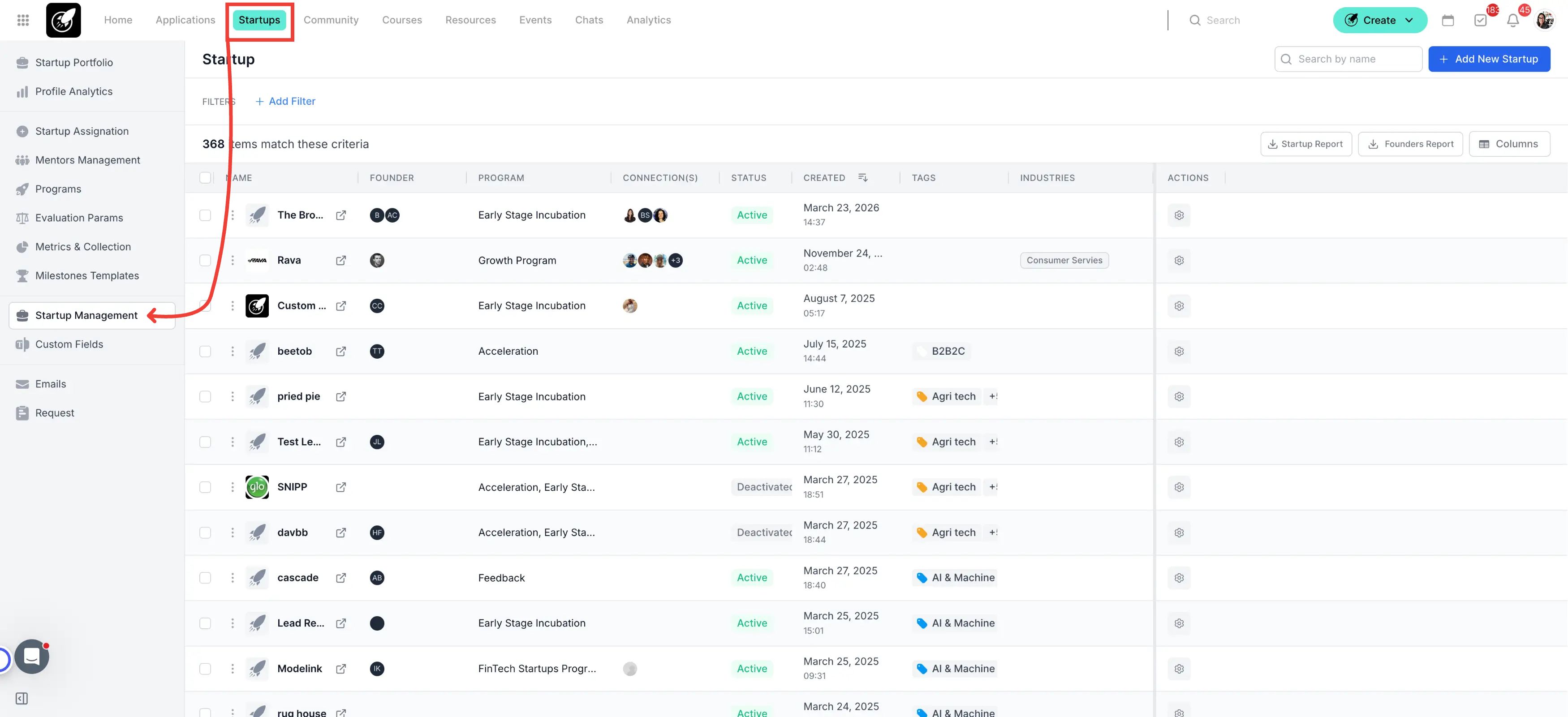
Navigate to the Startups sesction in the top navigation menu, followed by Startup Management.
Step-by-Step
1. Access the Startups Menu
Click on Startups from the main dashboard navigation menu.
2. Open Startup Management
Select Startup Management from the sidebar menu to view your complete startup list.
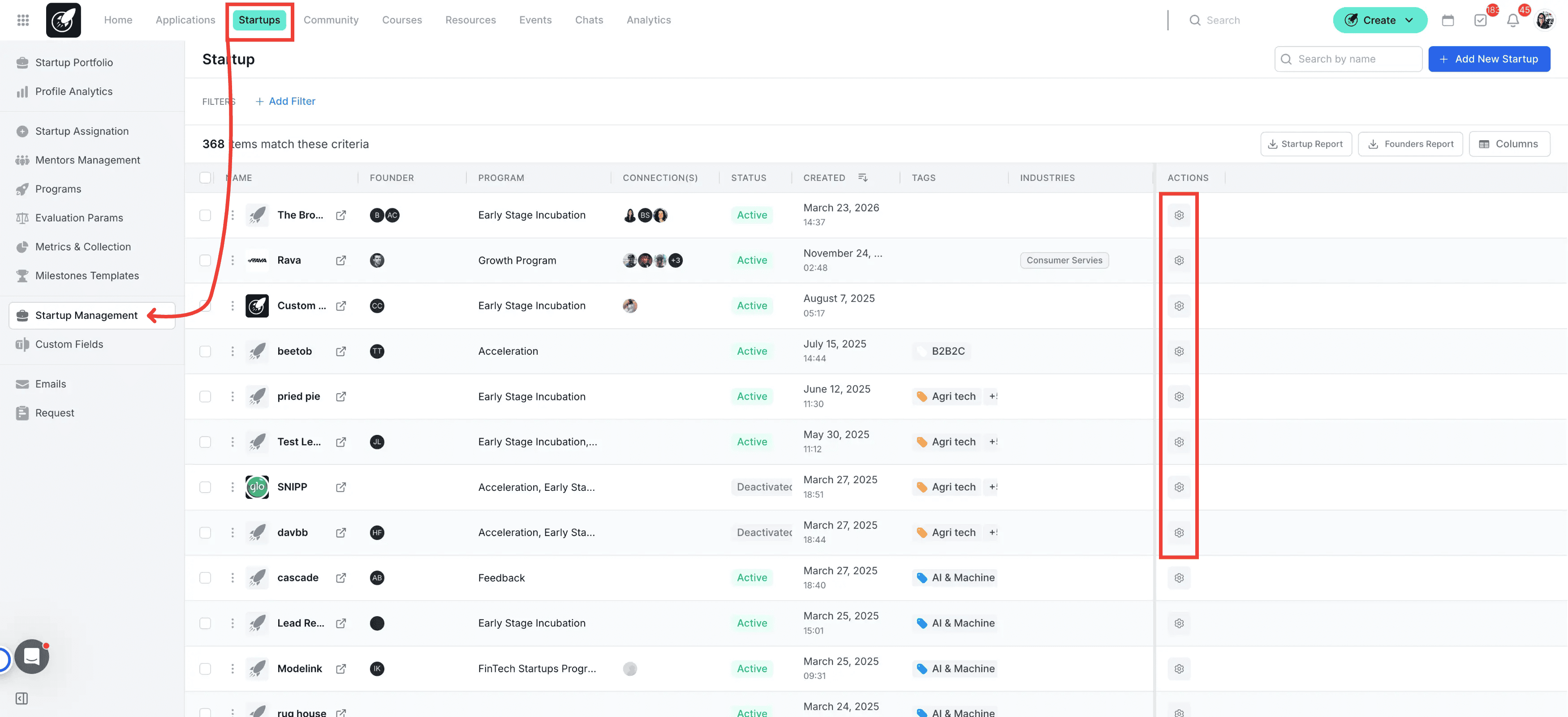
3. Select the Edit Icon
Find the specific startup you want to remove from the list and click on its corresponding Edit (pencil) icon.
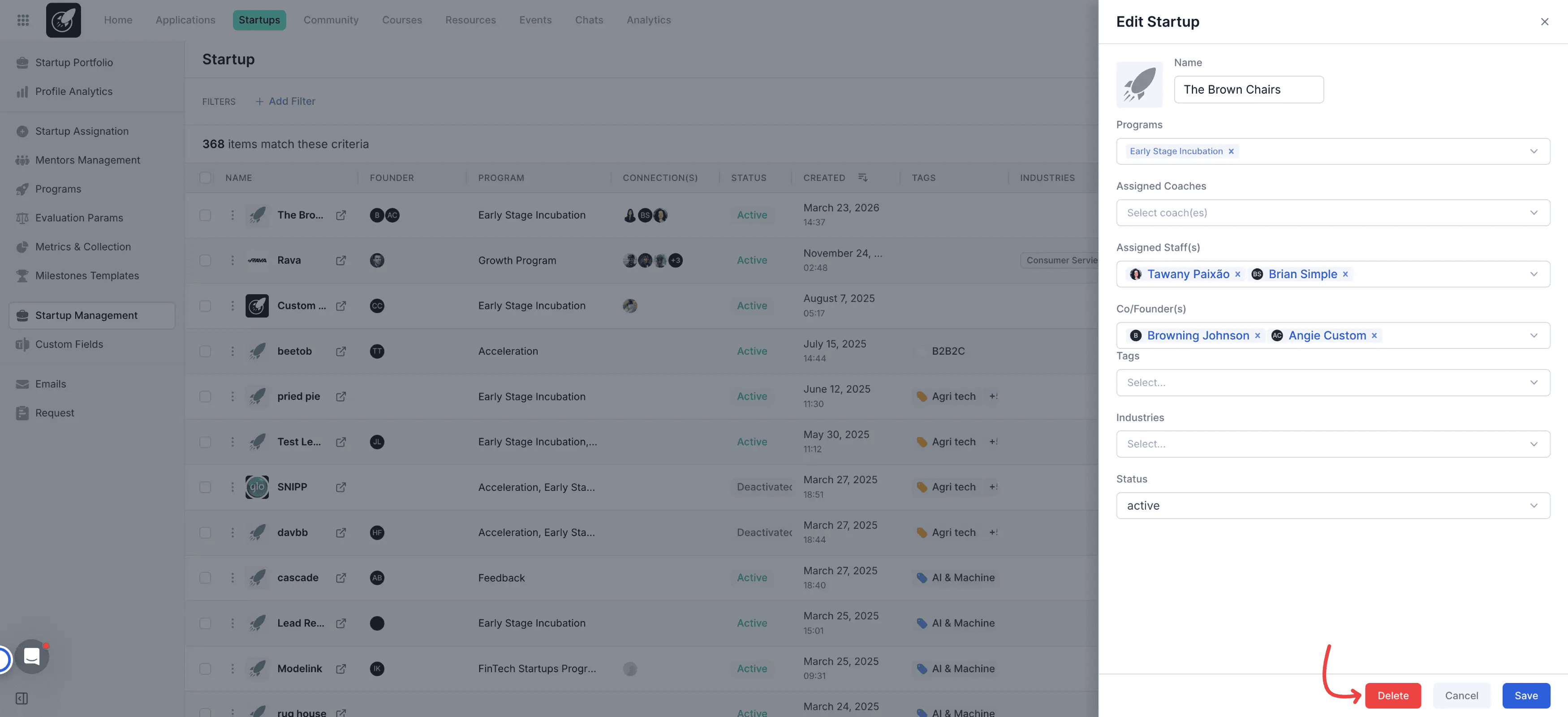
4. Click Delete
Click the Delete button located at the bottom of the startup edit pop-up window.
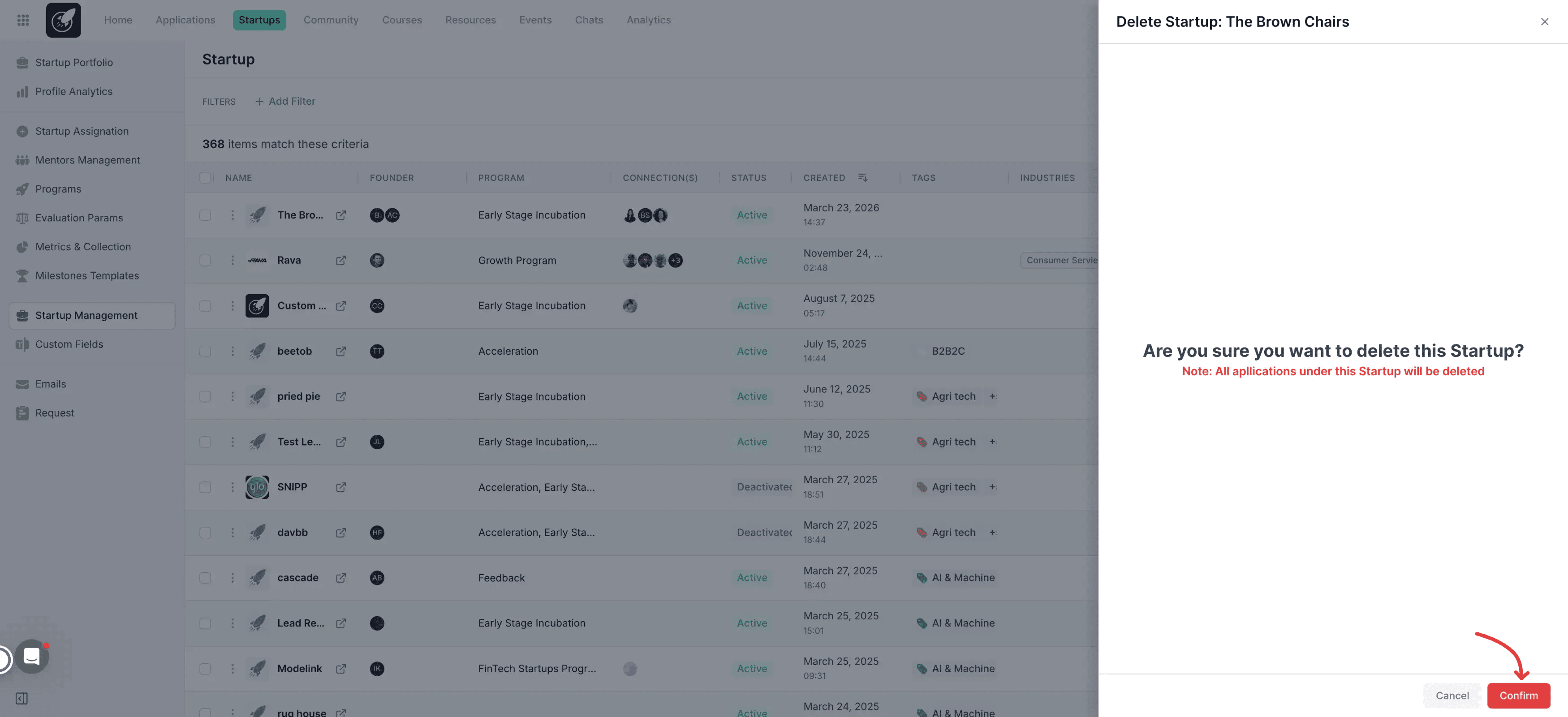
5. Confirm Deletion
Click Confirm on the safety pop-up to finalize and permanently remove the startup from your portfolio.
Best Practices
Delete Associated Founders Separately: Deleting a startup profile does not automatically delete the user accounts of the founders or co-founders. If you want to completely remove these individuals from your platform, you must navigate to the User Management section to delete their user profiles.
Notify Founders First: If the startup is currently or was recently part of an active program, notify the founders beforehand so they can export any personal data they might need.
Double-Check Before Confirming: Because this action is irreversible, verify you have selected the correct company name before clicking confirm.
Export Data First: Consider exporting the startup's key performance metrics or notes if you might need them for historical reporting later.